Hire a Drone Pilot You Can Actually Check: Inside the RPAS WILCO Marketplace
How to find and vet a drone pilot on the RPAS WILCO Marketplace. Missions, time on the platform, badges, aircraft and account type come from RPAS WILCO records, not from the pilot's own sales copy.
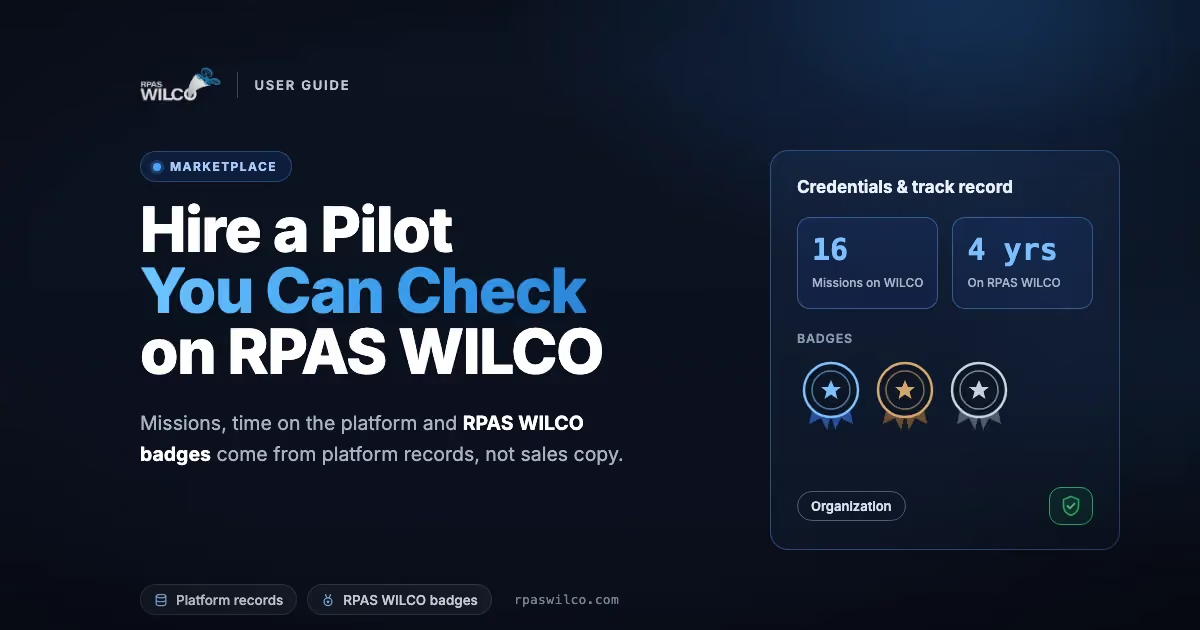
Hiring a drone pilot usually starts with a search and a handful of websites that all say the same thing: experienced, certified, professional. Every word on those pages was written by the pilot. From the outside, a pilot who has flown two hundred inspections and one who bought a drone last spring can look exactly the same.
The RPAS WILCO Marketplace is built differently because of where it lives. RPAS WILCO is the drone operations platform Canadian pilots use to plan missions, check airspace and book their Transport Canada flight reviews, and it is an authorised NAV CANADA aeronautical data distributor. Every pilot in the Marketplace holds an RPAS WILCO account, and part of every profile is read straight from that account. The pilot decides whether it is shown. The pilot cannot rewrite it.
This guide shows how to search the Marketplace, what each part of a pilot profile means, and which parts you can lean on when you choose who to call.
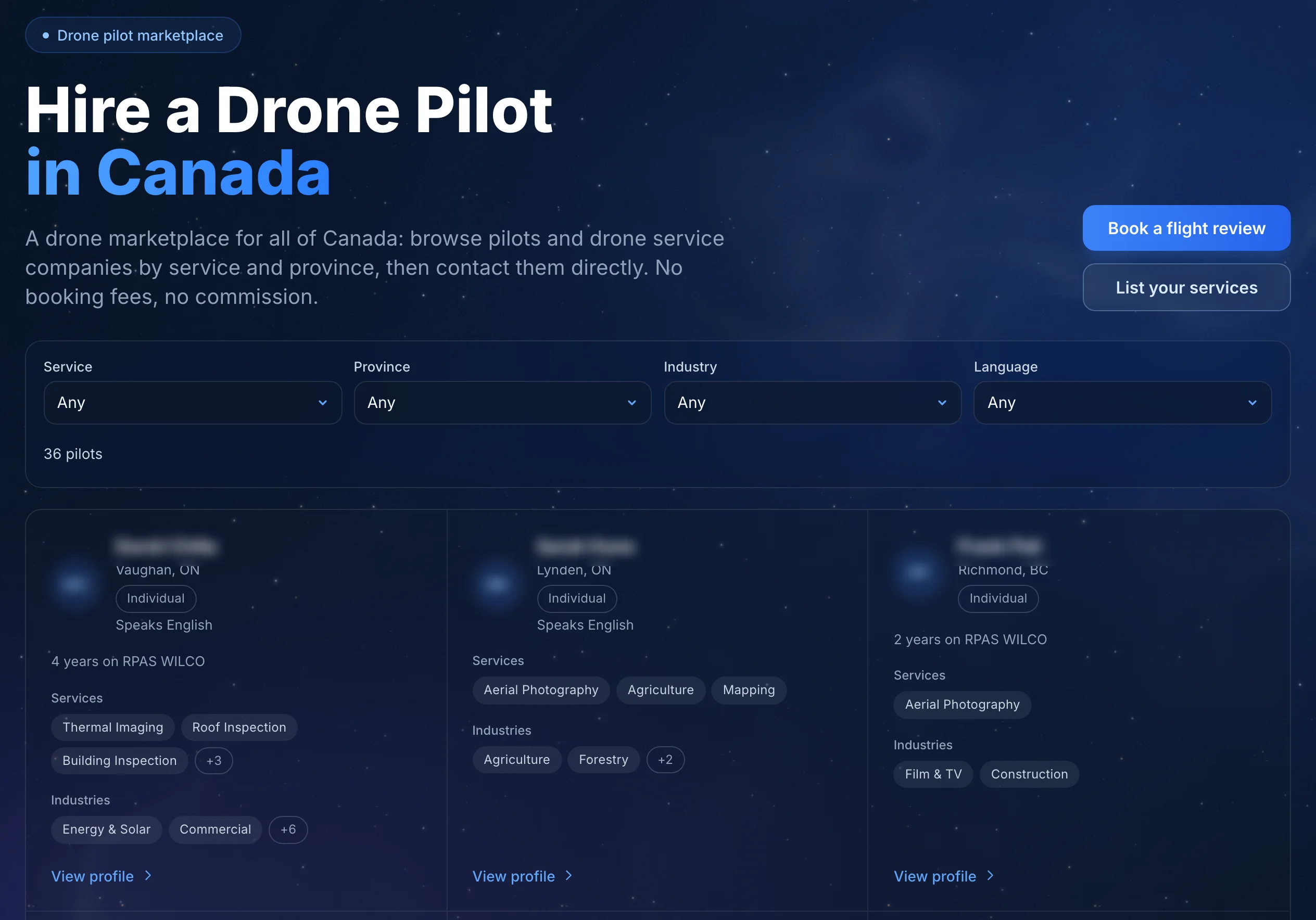
The Marketplace. Filters on top, one card per pilot or company.
Where to find it
Open the Marketplace, or choose Marketplace under Pilot Networks in the site menu. Browsing is free and needs no account.
Search the directory
Four filters narrow the list:
- Service — aerial photography, inspections, mapping, and the rest of the service list
- Province — where the pilot works
- Industry — construction, agriculture, real estate and so on
- Language — useful when the site contact or the final report needs to be in French or English
Every filter you apply shows as a chip you can remove on its own. On a phone, tap Filters to open them.
Services come from a fixed list rather than free text, so “roof inspection” means the same thing on every profile. That is what makes two profiles comparable side by side.
Each card shows the pilot’s name, location, services and, when the pilot shares them, the platform figures, led by the number of missions on RPAS WILCO. A card that reads No trust info shared means the pilot has chosen not to show any of it. That is allowed, and it is worth noticing.
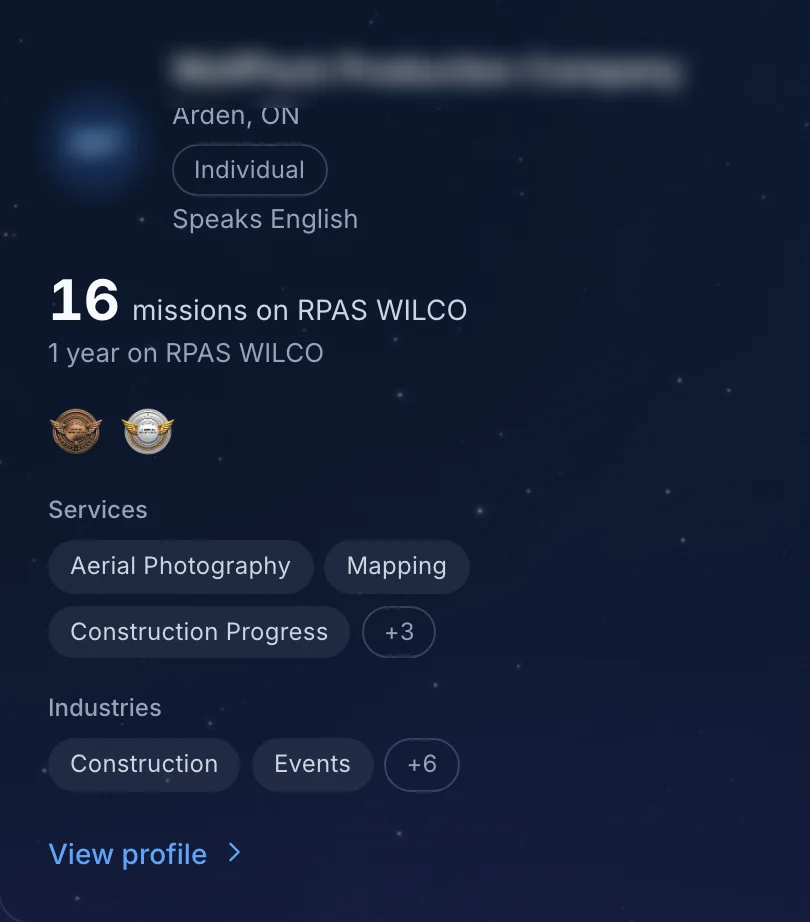
A directory card. The mission count comes first.
Click a card and the profile opens in a panel over the directory, so you can compare pilots without losing your filters. Open as a full page gives you a link to keep or share.
What comes from RPAS WILCO: Credentials & track record
Near the top of every profile is a section titled Credentials & track record, with the pilot’s missions on RPAS WILCO, time on the platform and badges. The pilot’s aircraft are listed further down the profile, and the Organization or Individual label sits at the top of the profile. None of it was typed into a profile form. Each item is read from the pilot’s RPAS WILCO account, and that is the difference between this Marketplace and a list of business cards.
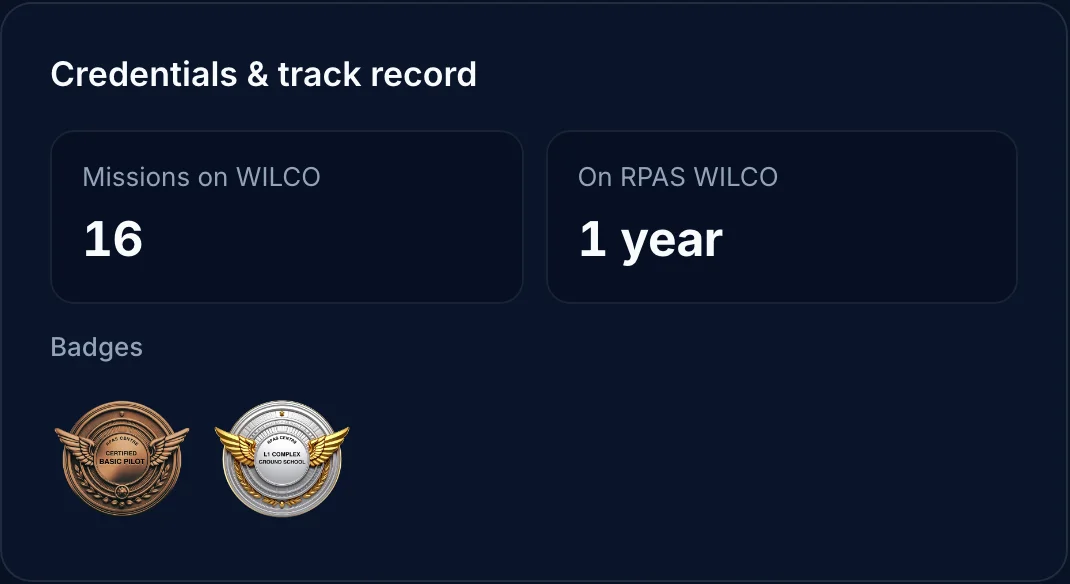
Credentials & track record. Every value here comes from the pilot’s RPAS WILCO account.
Missions on WILCO
The number of missions on the pilot’s RPAS WILCO account. There is no field where a pilot can enter this number.
It counts work managed on RPAS WILCO, so a modest number is not proof of inexperience. A large one, though, is hard to fake, and it tells you this pilot runs their operation on professional tooling.
On RPAS WILCO
How long the pilot has held their RPAS WILCO account. It comes from the registration date, so it cannot be backdated.
Badges
Badges are issued by RPAS WILCO, for example when a pilot completes a course on the platform. A pilot cannot upload one or award one to themselves.
Each badge links to its own certificate page on RPAS WILCO, so you can open it instead of trusting an icon.
Aircraft
The make and model of each aircraft in the pilot’s RPAS WILCO fleet. It tells you at a glance whether the pilot flies a small camera drone or the kind of platform your inspection or mapping job needs.
Organization or Individual
The profile is labelled Organization or Individual according to the pilot’s RPAS WILCO account type, and the pilot cannot change it. It answers the first question most clients have: am I hiring a company or a person?
What the pilot tells you
The rest of the profile is written by the pilot. It is where you see what they offer and what their work looks like.
- Services offered — each service with the pilot’s years of experience in it, their proficiency level, from Beginner to Expert, and their Capabilities & specialties. The specialties come from a list RPAS WILCO sets for each service.
- Industries served — the sectors the pilot usually works in.
- Languages — the languages the pilot works in.
- Service areas — the city and province the pilot works from.
- Portfolio — YouTube videos of past work. They load as thumbnails and play when you click them.
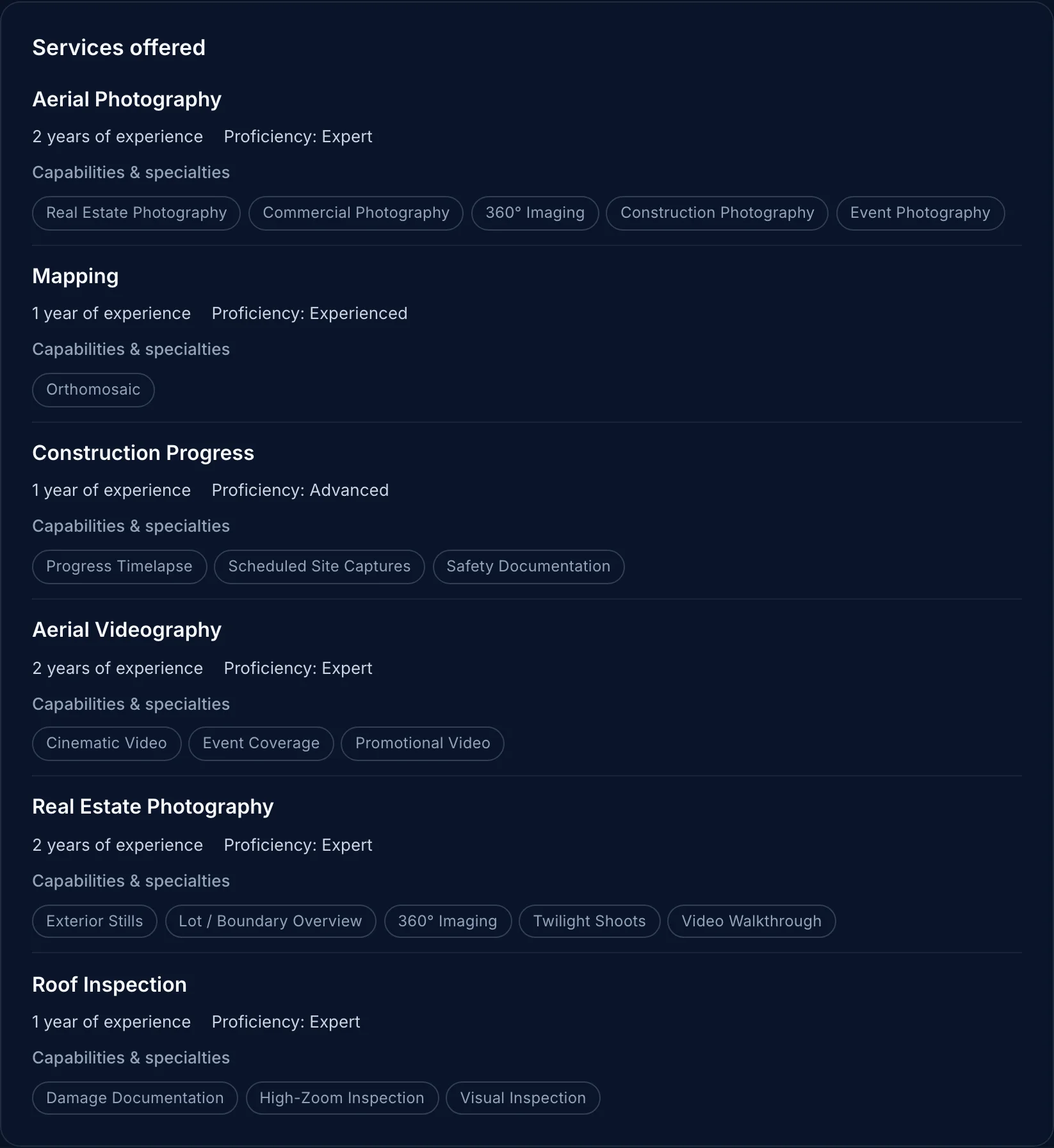
Services offered. Experience and proficiency are given per service.
Experience and proficiency are the pilot’s own statements. Read them against the credentials above: ten years of mapping next to a long mission history and a relevant badge is a stronger story than the same claim on its own.
Contact the pilot
Click View contact details in the Contact section. You will be asked to sign in or sign up with a code sent to your email, or with Google. It is free.
After that you see whatever the pilot chose to share: phone, email, website and social accounts. Keeping contact details behind a sign-in protects pilots from scrapers and spam, and it means the pilot knows a real person is asking. If a profile says “This pilot has not made contact details public.”, the pilot is not taking enquiries through the Marketplace right now.
You arrange the job directly with the pilot. RPAS WILCO does not handle bookings or payments.
Before you book
A Marketplace profile shows you a pilot’s record on RPAS WILCO. It does not replace the documents every client should see before work starts:
- the pilot’s Transport Canada pilot certificate, Advanced if your site is near people or in controlled airspace
- the drone’s Transport Canada registration
- proof of liability insurance
- a written quote
Our guide on how to hire a drone pilot in Canada walks through each one. To see what airspace your site sits in before the first call, look it up on the free Airspace Explorer.
Frequently asked questions
Is the Marketplace free for clients? Yes. Browsing is free without an account, and the sign-in to see contact details is free too.
Can I book and pay through RPAS WILCO? No. You agree on the work and the price directly with the pilot.
Why do some profiles show more than others? Pilots choose which of their RPAS WILCO records to show. A profile that shares its missions, badges, aircraft and time on the platform is giving you more to check.
Does the Marketplace list companies or only solo pilots? Both. The Organization or Individual label on each profile tells you which one you are looking at.
The bottom line
Start with Credentials & track record. It is the part of the profile nobody wrote to impress you. Then read the services against it, shortlist two or three profiles, and ask for documents before you book.
For budgeting, see what a drone pilot costs in Canada. For local airspace and permits, see hiring a drone pilot by city.